
Home Improvement
How to Fix a Door Bell: A Complete Troubleshooting and Repair Guide
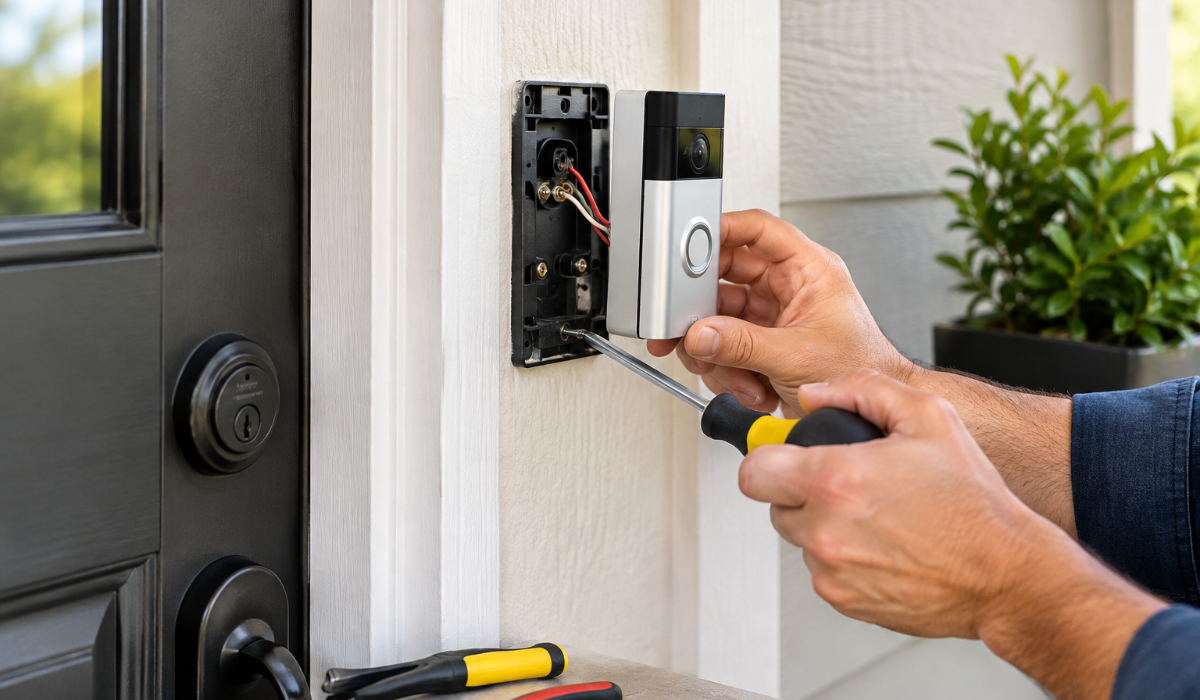
A doorbell is one of the simplest electrical devices in a home, but when it stops working, finding the cause can be surprisingly frustrating. If you are wondering how to fix a door bell, the good news is that many common problems can be diagnosed without replacing the entire system. A doorbell may fail because of a dead battery, faulty button, loose wire, tripped breaker, damaged transformer, weak wireless connection, or a problem with the chime. Identifying the right component before buying replacement parts can save time, money, and unnecessary work.
Both wired and wireless doorbells have their own troubleshooting methods, so the first step is determining which type you have. Wired doorbells usually rely on low-voltage electrical wiring, a transformer, a push button, and an indoor chime. Wireless doorbells typically use batteries and communicate between the outdoor button and indoor receiver using a wireless signal. This guide explains how to fix a door bell step by step, from simple checks to more advanced troubleshooting.
Whether your doorbell is completely silent, buzzing, ringing continuously, working intermittently, or failing to connect, you can use the following process to narrow down the problem. The goal is not simply to make the bell ring again, but to identify the underlying fault and repair it safely. If you encounter damaged mains wiring, exposed electrical conductors, burning smells, or a problem inside the home’s electrical panel, stop and contact a qualified electrician.
Key Takeaways
- Determine whether your doorbell is wired or wireless before troubleshooting.
- Check power, batteries, connections, and the doorbell button first.
- A wired doorbell commonly involves a transformer, button, chime, and low-voltage wiring.
- A wireless doorbell may fail because of weak batteries, pairing problems, interference, or receiver issues.
- A multimeter can help test voltage and continuity on suitable low-voltage components.
- Do not work on exposed mains-voltage wiring unless you are properly qualified.
- Cleaning and tightening connections can resolve many intermittent doorbell problems.
- A faulty transformer, chime, button, or receiver may need replacement.
- Doorbell replacement can be more practical than repairing severely damaged or obsolete equipment.
- Test the complete system after every repair rather than assuming the problem is solved.
What Causes a Doorbell to Stop Working?
A doorbell can stop working for several different reasons, and the symptoms often provide clues about where the problem is located. A wired doorbell depends on a continuous electrical path between its components, so a loose connection anywhere in that path can prevent it from operating. A wireless doorbell depends more heavily on batteries, pairing, signal strength, and communication between the button and receiver. Understanding these basic differences makes troubleshooting much faster.
Common wired doorbell problems
Wired doorbells generally contain four important parts: the push button, transformer, chime, and connecting wires. The transformer reduces household electrical voltage to a much lower voltage suitable for the doorbell circuit. Pressing the button completes the low-voltage circuit, allowing current to reach the chime. If any of these components fails, the doorbell may become completely silent or behave unpredictably.
Common causes include:
- Dead or failed transformer
- Loose low-voltage wire
- Corroded wire connection
- Faulty push button
- Broken doorbell wire
- Damaged chime
- Incorrect installation
- A tripped circuit supplying the transformer
- A recently installed smart doorbell drawing more power than the existing transformer can provide
Common wireless doorbell problems
Wireless doorbells eliminate the physical connection between the exterior button and indoor receiver, but they introduce different potential problems. Weak batteries are one of the easiest issues to overlook, particularly when a button appears physically normal. Pairing can also be lost after a power interruption, battery replacement, reset, or receiver change. Radio interference and excessive distance between the button and receiver can cause inconsistent performance.
Typical wireless problems include:
- Weak or dead batteries
- Receiver not plugged in
- Lost pairing
- Signal interference
- Excessive distance
- Obstructions between the button and receiver
- Faulty outdoor button
- Failed indoor receiver
- Incorrect settings
- Smart doorbell Wi-Fi or app connectivity problems
How to Identify Your Doorbell Type
Before learning how to fix a door bell, identify whether your system is wired, wireless, or a smart doorbell. A wired model normally has a small exterior button connected to the house with wires, although those wires may be hidden behind the wall. You may also find an indoor chime mounted on a wall or hallway. A wireless model usually has a battery-powered button and a separate plug-in or battery-powered receiver.
Smart doorbells can be either wired or wireless, so the presence of an app does not necessarily tell you how the device receives power. Some smart models connect to existing doorbell wiring, while others rely on rechargeable or replaceable batteries. This distinction matters because a wired smart doorbell may require adequate transformer capacity. A wireless smart doorbell may instead require troubleshooting the battery, Wi-Fi connection, or mobile application.
| Doorbell Type | Main Power Source | Common Problems | First Check |
| Traditional wired | Low-voltage transformer | Wiring, button, chime, transformer | Button and power |
| Wireless | Batteries or plug-in receiver | Battery, pairing, interference | Batteries and receiver |
| Wired smart | Transformer | Voltage, wiring, Wi-Fi | Power and app |
| Battery smart | Rechargeable battery | Battery, Wi-Fi, settings | Battery and connection |
How to Fix a Door Bell: Start With Basic Checks
The best approach to how to fix a door bell is to start with the simplest possibilities before disassembling anything. Many apparently serious failures are caused by something as basic as a dead battery, switched-off receiver, loose wire, or tripped electrical circuit. Starting with easy checks reduces the risk of damaging a component while trying to repair something that was never actually broken. It also helps you identify whether the fault is electrical, mechanical, or related to wireless communication.
Follow this basic troubleshooting sequence:
- Identify the doorbell type.
- Check the batteries if the system uses them.
- Confirm that the indoor receiver or chime has power.
- Press the button and observe exactly what happens.
- Check for visible damage or loose components.
- Inspect accessible low-voltage connections on a wired system.
- Test the button if appropriate.
- Check the transformer on a wired system.
- Test the chime or receiver.
- Reassemble and test the complete system.
Listen carefully to the symptoms
The sound or lack of sound can provide valuable information. A completely silent doorbell suggests a power, button, wiring, or receiver problem. A humming or buzzing chime may indicate a button or wiring issue rather than a simple loss of power. A doorbell that works only occasionally may have a loose connection, weak battery, failing button, or signal problem.
A useful diagnostic habit is to change only one thing at a time. For example, if you replace the battery and the doorbell starts working, you have identified the likely cause. If you change several components simultaneously, you may never know which part was defective. This matters if the same problem returns later.
How to Fix a Wired Doorbell
If you have a traditional wired system, the easiest way to understand how to fix a door bell is to follow the circuit from the power source toward the chime. The transformer supplies low-voltage power, the button controls the circuit, and the chime produces the sound. A break anywhere along this path can stop operation. Because the doorbell transformer connects to household electrical power on its input side, use caution around the transformer and electrical panel.
Inspect the doorbell button
Start outside with the push button because it is exposed to weather, dirt, moisture, and repeated use. Look for cracks, corrosion, loose mounting hardware, or signs that the button is sticking. Carefully inspect the visible low-voltage wires if they are accessible without exposing yourself to mains wiring. Loose terminals can sometimes be tightened, but damaged wire may require repair or replacement.
If the button feels unusually loose or does not press normally, it may be mechanically defective. A button can also develop internal electrical contacts that fail to make a reliable connection. In that situation, replacing the button is often easier and more dependable than attempting to repair the internal mechanism. Always use a replacement compatible with the voltage and doorbell system.
Inspect accessible wiring
Doorbell wires are usually thin low-voltage conductors, but they can become loose or damaged over time. Look for disconnected wires, corrosion, crushed insulation, or signs of moisture around the exterior button. Do not pull aggressively on wires that disappear into a wall because they may be difficult to retrieve. If wiring is damaged inside the wall, professional repair may be the safest option.
| Symptom | Likely Cause | Recommended Action |
| Completely silent | No power, broken wire, failed button | Check power and button |
| Buzzing sound | Button or wiring issue | Inspect button and circuit |
| Works intermittently | Loose connection or worn button | Inspect and test connections |
| Chime works without pressing | Shorted button or wiring | Disconnect and inspect button |
| Wireless receiver silent | Battery, pairing, or receiver issue | Check battery and pairing |
Test the transformer
A wired doorbell transformer is an important part of the system because it converts household voltage into lower voltage for the doorbell circuit. The transformer is often installed near an electrical panel, junction box, utility area, attic, or another service location. Its output voltage should match the requirements of the doorbell system. Smart doorbells can have different power requirements from traditional chimes, so compatibility should always be checked against the manufacturer’s specifications.
If you know how to use a multimeter safely, you can test the low-voltage output of the transformer. Select the appropriate AC voltage setting and measure across the low-voltage terminals, following the meter and equipment instructions. If you are not comfortable working around electrical equipment, do not remove electrical covers or attempt to access mains connections. A qualified electrician can test the transformer safely.
Test the button
A doorbell button can be checked for continuity when the system is safely disconnected from power. A continuity test can show whether the button’s contacts close properly when pressed. If the meter indicates an open circuit when the button is pressed, the button may be defective. Replace it with a compatible model if necessary.
Check the chime
If power and the button appear to be working, the chime becomes a likely suspect. Some chimes use mechanical plungers that can become stuck because of dust or wear. Electronic chimes may have internal components that fail with age. If the chime receives the correct power but does not respond, replacement may be more practical than attempting an internal repair.
How to Test a Doorbell Transformer
Testing the transformer can be one of the most useful steps when troubleshooting a wired doorbell. The transformer is responsible for providing the low-voltage power that the rest of the circuit needs. If its output is missing or significantly outside the expected range, the button and chime may appear faulty even though they are perfectly functional. This is why replacing the chime first is not always the best approach.
Basic transformer troubleshooting
Before testing, identify the manufacturer’s specified voltage and make sure your meter is appropriate for the measurement. Test only the accessible low-voltage side if you are not qualified to work with mains electricity. If the transformer is enclosed behind an electrical panel or requires exposing line-voltage terminals, stop and call a qualified electrician. Electrical safety is more important than completing the repair yourself.
A transformer that produces the correct low-voltage output can usually be moved down your troubleshooting list. A transformer with no output may need replacement, but the cause could also be the circuit supplying it. A breaker, fuse, disconnected connection, or wiring fault may prevent the transformer from receiving power. Diagnosing the entire circuit rather than automatically replacing the transformer can prevent unnecessary expense.
How to Repair or Replace a Doorbell Button
The doorbell button is one of the most frequently handled parts of the system, making it vulnerable to mechanical wear. Outdoor buttons also experience temperature changes, humidity, rain, dust, and dirt. Over time, their electrical contacts may become unreliable. Fortunately, replacing a traditional button is often one of the simpler doorbell repairs.
Signs the button is faulty
Watch for these symptoms:
- The doorbell works only when the button is pressed unusually hard.
- The button feels sticky or does not return normally.
- The system works intermittently.
- The chime works when the circuit is tested but not when the button is pressed.
- The button shows visible corrosion or physical damage.
Before replacing it, make sure the replacement button is compatible with your system. Turn off or isolate the relevant power source before handling wired connections, and follow the manufacturer’s instructions. Labeling wires before disconnecting them can make reinstallation much easier.
How to Fix a Doorbell Chime
The chime is responsible for alerting people inside the home when someone presses the exterior button. Traditional mechanical chimes may contain moving parts that respond to the electrical signal. Electronic chimes use electronic circuitry and may offer multiple tones or volume settings. Both types can fail, although the troubleshooting process differs slightly.
If the chime is completely silent, first confirm that power is reaching it. If the chime has mechanical plungers, inspect for visible obstructions and check whether they move freely where appropriate. Do not force delicate components because bending a mechanism can create a second problem. If the chime has correct power but remains nonfunctional, replacement may be the most economical solution.
Some modern doorbells also require a compatible chime adapter or power accessory. This is particularly relevant when upgrading a traditional system to a smart doorbell. If an old chime suddenly stops working after a smart doorbell installation, check the smart doorbell’s compatibility requirements rather than assuming the chime has failed.
How to Fix a Wireless Doorbell
Learning how to fix a door bell becomes somewhat different when you have a wireless system. There is no conventional wire running from the exterior button to the indoor receiver, so troubleshooting focuses on power, pairing, signal strength, and electronics. Start with the batteries because they are inexpensive and easy to test. Even if the battery appears normal, replacing it with a fresh compatible battery can quickly eliminate one possible cause.
Check the indoor receiver
Confirm that the receiver is properly plugged in if it uses household power. Check whether its indicator light is illuminated and whether its volume has accidentally been turned down. Some wireless receivers have multiple modes, including silent or visual-alert settings. Make sure the device is actually set to produce the alert you expect.
Re-pair the devices
Wireless doorbells can lose their connection after a reset, battery change, or electrical interruption. Follow the manufacturer’s pairing instructions to connect the exterior button and indoor receiver again. Avoid guessing at button combinations because different models use different pairing procedures. If pairing succeeds but the doorbell remains unreliable, investigate distance and interference.
Check signal range
Walls, metal doors, appliances, and other electronic devices can affect wireless performance. A doorbell may work perfectly when the receiver is close to the exterior button but fail when the receiver is moved farther away. Test the system from several locations before assuming the transmitter or receiver is defective. If range is consistently poor, repositioning the receiver may solve the issue without replacing the equipment.
| Wireless Issue | Possible Cause | Solution |
| No response | Dead battery | Install a fresh compatible battery |
| Receiver has no light | No power | Check outlet or receiver power |
| Button works occasionally | Weak battery or interference | Replace battery and test location |
| Receiver works but does not ring | Wrong mode | Check volume and alert settings |
| Devices stopped communicating | Lost pairing | Re-pair according to instructions |
| Short range | Obstructions or interference | Reposition receiver |
How to Fix a Doorbell That Rings Continuously
A doorbell that keeps ringing without anyone pressing the button usually indicates a problem with the button or circuit. On a wired system, a stuck or internally shorted button can keep the circuit closed. Damaged insulation or a wiring fault can create a similar effect. On a wireless model, a stuck button or malfunctioning transmitter may repeatedly send a signal.
Start by inspecting the exterior button. If it is physically stuck, clean around it carefully and check whether it returns to its normal position. If the problem continues, disconnecting or isolating the button according to the manufacturer’s instructions can help determine whether the button is responsible. If the ringing stops when the button is isolated, the button is a strong suspect.
Continuous ringing should not simply be ignored. A constantly energized circuit can place unnecessary stress on components, and a faulty electrical connection may become worse. If the problem involves wiring that you cannot safely access, have a qualified professional inspect the system.
How to Fix an Intermittent Doorbell
An intermittent doorbell is often more difficult to diagnose than a completely dead one because the system may work during testing and fail later. Loose connections, corrosion, weak batteries, failing switches, and wireless interference are common causes. Temperature and moisture can also affect outdoor components. The most effective strategy is to look for changes that occur when the system fails.
If the doorbell is wired, inspect accessible terminals and connections for looseness or corrosion. If it is wireless, monitor battery condition and receiver location. Try operating the button several times while observing whether the response changes depending on pressure or position. These observations can help distinguish a mechanical button problem from a power or communication issue.
Do not assume an intermittent fault will resolve itself. A loose connection can become progressively worse, and moisture-related corrosion may spread over time. Repairing the cause early is generally easier than waiting until the doorbell stops completely.
Common Doorbell Problems and Solutions
The following table provides a quick reference for some of the most common situations homeowners encounter.
| Problem | Most Likely Causes | First Troubleshooting Step |
| Doorbell does nothing | Battery, power, transformer, button | Check power source |
| Chime does not sound | Chime, wiring, button | Test button and chime |
| Doorbell buzzes | Button, transformer, wiring | Inspect button |
| Doorbell rings randomly | Shorted button, wireless interference | Inspect button |
| Works only sometimes | Loose connection, weak battery | Check connections or battery |
| Smart doorbell offline | Wi-Fi, battery, router | Check network and power |
| Wireless range is poor | Distance, interference | Move receiver |
| New doorbell will not work | Compatibility or power issue | Check specifications |
When to Repair or Replace a Doorbell
Repairing a doorbell makes sense when the fault is limited to an inexpensive and replaceable component. A worn button, loose connection, weak battery, or compatible chime can often be addressed without replacing the entire system. Repair also makes sense when the existing doorbell is otherwise reliable and meets your needs. A simple repair can be considerably cheaper than a complete upgrade.
Replacement becomes more attractive when several components are failing, replacement parts are difficult to find, or the existing system is obsolete. Upgrading may also make sense if you want features such as video monitoring, smartphone notifications, motion detection, two-way communication, or integration with a smart home platform. However, smart doorbells can have additional requirements for power, Wi-Fi, mounting, and compatibility.
Repair versus replacement
| Situation | Repair | Replace |
| Dead battery | ✓ | |
| Loose wire | ✓ | |
| Worn push button | ✓ | |
| Failed compatible chime | ✓ | ✓ |
| Failed old transformer | ✓ | |
| Obsolete system with unavailable parts | ✓ | |
| Desire for video features | ✓ | |
| Repeated failures across components | ✓ | |
| Minor cosmetic damage | ✓ | |
| Major water damage | ✓ |
Doorbell Repair Cost Considerations
The cost of fixing a doorbell depends heavily on the failed component and whether professional labor is required. Simple repairs such as batteries, push buttons, or minor accessible connections may be inexpensive. Transformer or wiring work can require more time, particularly if the electrical components are difficult to access. Smart doorbell installation may also cost more because of networking, mounting, configuration, or transformer compatibility.
When comparing repair and replacement, consider the total cost rather than the price of one part. A low-cost replacement component may not be worthwhile if the rest of the system is near the end of its useful life. Conversely, replacing an entire doorbell because of a worn button may be unnecessary. A sensible decision considers reliability, compatibility, labor, available parts, and the features you actually need.
Common Doorbell Repair Mistakes
One of the biggest mistakes people make when learning how to fix a door bell is replacing parts without diagnosing the problem. Installing a new chime will not solve a failed transformer, and replacing a button will not solve a dead wireless receiver. Troubleshooting should move logically from power to control to output. This approach minimizes wasted money and reduces the chance of introducing additional faults.
Another common mistake is ignoring safety because doorbell systems are often low voltage. While the doorbell circuit itself is typically low voltage, the transformer receives power from the home’s electrical system. Touching or modifying mains-voltage wiring without appropriate training can cause serious injury. If you need to open an electrical panel, expose line-voltage conductors, or work on household wiring, use a qualified electrician.
Other mistakes include:
- Installing an incompatible transformer.
- Using the wrong battery type.
- Forgetting to turn off power before working on wired components.
- Pulling wires out of the wall while inspecting them.
- Ignoring corrosion around the outdoor button.
- Failing to follow smart doorbell power requirements.
- Assuming a wireless problem is caused by the receiver without checking the battery.
- Replacing several parts simultaneously without testing between repairs.
Expert Tips for Reliable Doorbell Performance
Regular inspection can prevent many doorbell problems before they become complete failures. Check the exterior button occasionally for dirt, moisture, corrosion, or physical damage. Keep wireless receivers positioned where they can maintain a reliable connection with the outdoor button. For smart doorbells, monitor battery health, firmware notifications, and Wi-Fi performance.
When performing repairs, take photographs before disconnecting wires. Labeling connections is another simple technique that can prevent confusion during reassembly. Keep the manufacturer’s manual and model number available because doorbell components are not universally interchangeable. If you are upgrading a traditional doorbell to a smart model, verify transformer and chime compatibility before purchasing the new device.
A useful maintenance checklist includes:
- Check the exterior button for physical damage.
- Replace wireless batteries when necessary.
- Inspect accessible connections for corrosion.
- Confirm the indoor chime has power.
- Keep wireless receivers within a reliable range.
- Check smart doorbell Wi-Fi performance.
- Confirm replacement parts match system specifications.
- Test the complete doorbell after maintenance.
- Address buzzing, overheating, or burning smells immediately.
- Contact a professional for unsafe or inaccessible electrical work.
How professionals approach doorbell troubleshooting
Experienced technicians generally avoid guessing and instead isolate the system into individual sections. They establish whether power is present, determine whether the button is completing the circuit, and then verify whether the chime or receiver responds. This method turns a confusing problem into a series of smaller tests. It also reduces unnecessary part replacement.
Professionals also pay attention to symptoms that homeowners may overlook. A weak buzz, intermittent response, unusual transformer noise, or corrosion can indicate a developing fault. They also consider whether the current system is compatible with newer equipment before recommending an upgrade. This diagnostic mindset is useful even for simple household troubleshooting.
How to Fix a Door Bell Safely
Safety should always be part of the repair process, particularly with wired doorbells. Even though much of the doorbell circuit operates at low voltage, the transformer connects to the home’s electrical supply. Never assume that every wire near a doorbell transformer is safe to touch. If you cannot confidently distinguish the low-voltage side from the mains-voltage side, stop and seek professional assistance.
You should also avoid improvising electrical connections. Do not connect a doorbell directly to household mains voltage, use an unsuitable transformer, or bypass protective components. Follow the manufacturer’s wiring diagram and voltage requirements. If there is visible burning, melted insulation, water intrusion, sparking, or an electrical smell, discontinue troubleshooting and have the system professionally inspected.
A Simple Step-by-Step Doorbell Troubleshooting Process
For homeowners who want a concise process, use this sequence when learning how to fix a door bell:
- Identify the system. Determine whether it is wired, wireless, or smart.
- Check the obvious power source. Replace batteries or confirm the receiver has power.
- Test the button. Look for sticking, corrosion, damage, or inconsistent operation.
- Inspect accessible connections. Look for loose or damaged low-voltage wires.
- Check the transformer. On wired systems, verify that the transformer provides the required output.
- Test the chime or receiver. Determine whether the output device responds correctly.
- Check wireless pairing. Reconnect the button and receiver if necessary.
- Check range and interference. Move the receiver or test another location.
- Replace the defective component. Use compatible parts rather than generic substitutes that may not meet specifications.
- Perform a final test. Press the button repeatedly and confirm consistent operation.
This process works because it moves from the easiest and safest checks toward more involved diagnostics. It also prevents you from immediately assuming that an expensive component has failed. If the doorbell still does not work after these steps, professional diagnosis may be more efficient than continued trial and error.
Conclusion
Knowing how to fix a door bell does not necessarily require advanced electrical skills, especially when the problem is a dead battery, worn button, loose connection, pairing issue, or misplaced wireless receiver. The key is to diagnose the system logically rather than replacing parts at random. Start by identifying whether the doorbell is wired or wireless, then check the power source, button, wiring, transformer, chime, receiver, and communication path in that order. This method makes troubleshooting easier and helps you identify the actual source of the failure.
For wired doorbells, pay particular attention to the transformer, low-voltage connections, push button, and chime. For wireless and smart doorbells, focus on batteries, pairing, signal strength, Wi-Fi, receiver power, and manufacturer-specific requirements. Always follow the equipment instructions and use compatible replacement parts. Most importantly, remember that the transformer and surrounding electrical infrastructure can involve household mains voltage, so professional assistance is the right choice whenever the repair exceeds your level of electrical experience.
Frequently Asked Questions
How do I fix a door bell that does not ring?
Start by checking the battery or power supply, then inspect the button, wiring, transformer, and chime. For wireless models, also check pairing and signal range.
Why is my wired doorbell not working?
A wired doorbell may have a failed transformer, loose wire, faulty button, damaged chime, or interrupted power supply. Testing each component systematically can identify the problem.
How do I fix a door bell that keeps ringing?
A continuously ringing wired doorbell often has a stuck or shorted button or wiring fault. Inspect the button first and seek professional help if the wiring is inaccessible or unsafe.
Can I fix a doorbell myself?
Many basic repairs can be completed by homeowners, such as replacing batteries or a compatible button. Avoid working on mains-voltage wiring unless you have the necessary qualifications and equipment.
How do I fix a wireless doorbell?
Replace the battery, confirm the indoor receiver has power, check the volume and settings, and re-pair the devices. If the problem continues, test the receiver location for wireless interference.