
Decor
Home Decorators Ceiling Fan Remote: Setup, Replacement, Troubleshooting & Buying Guide
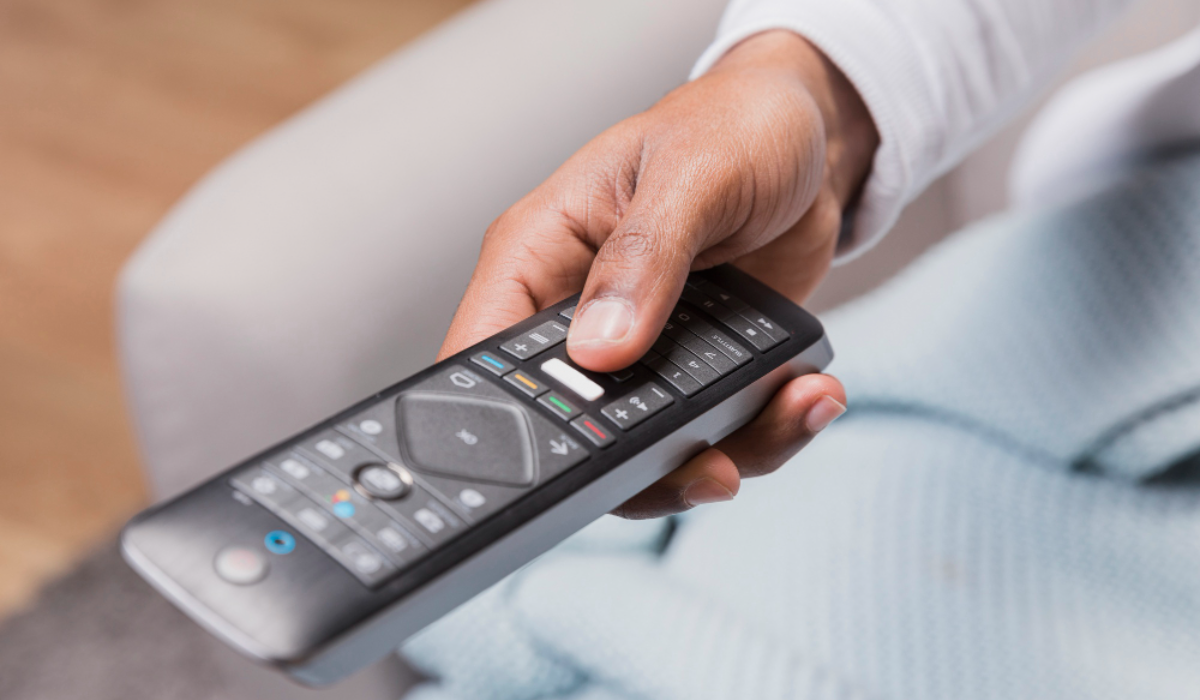
A Home Decorators ceiling fan remote can make everyday fan operation much easier by putting speed, lighting, direction, and timer controls in the palm of your hand. However, finding the correct replacement remote, pairing a new transmitter, or diagnosing a fan that suddenly stops responding can be surprisingly confusing. The biggest reason is that Home Decorators Collection fans use different remote-control systems across different models, so one remote is not automatically compatible with every fan.
Some older models use a receiver and matching code switches, while newer models may use a learning or pairing process. Smart Home Decorators Collection ceiling fans can also use Hubspace connectivity in addition to a physical remote.
This guide explains how a Home Decorators ceiling fan remote works, how to identify the correct replacement, how pairing and frequency matching work, and what to do when the remote stops responding. Whether you lost your original transmitter, need a replacement remote, or simply want to understand the controls on your existing fan, the goal is to help you solve the problem without unnecessarily replacing the entire ceiling fan.
Key Takeaways
- Home Decorators Collection ceiling fans do not all use the same remote control.
- The fan’s model number, remote number, receiver, and control system should be checked before purchasing a replacement.
- Many older systems use matching dip-switch codes between the remote and receiver.
- Newer models may use a Learn, Pairing, or Fan ON/OFF procedure instead.
- A weak battery is one of the easiest problems to eliminate during troubleshooting.
- If a remote works intermittently, check batteries, receiver power, interference, and pairing before replacing components.
- If multiple fans respond to one remote, their codes or pairing assignments may need to be separated.
- Some current Home Decorators Collection fans use Hubspace, providing app-based and smart-home control in addition to a handheld remote.
- The safest way to identify a replacement is by matching the exact fan model and remote/receiver system, rather than relying only on appearance.
- Electrical work inside the canopy or receiver compartment should be performed only when power is disconnected, and complicated wiring should be handled by a qualified electrician.
What Is a Home Decorators Ceiling Fan Remote?
A Home Decorators ceiling fan remote is a wireless transmitter designed to communicate with the electronic controls or receiver installed in a compatible ceiling fan. Depending on the model, the remote may control fan power, multiple speed settings, light operation, dimming, reverse direction, timer functions, and other comfort features. Current Home Decorators Collection listings include fans with remote controls, reversible motors, timers, DC motors, and Hubspace compatibility, showing how varied the product range has become.
The handheld remote is only one part of the system. A receiver inside or near the fan canopy interprets the wireless commands and tells the motor or light kit what to do. This is why replacing only the handheld transmitter does not always solve a problem, particularly when the receiver is damaged or the new remote is incompatible.
What can the remote control?
The exact functions depend on the fan model, but common controls include:
- Fan on/off
- Fan speed increase and decrease
- Light on/off
- Light dimming
- Forward/reverse operation
- Timer settings
- Comfort Breeze or natural-breeze functions on selected models
- Color-temperature control on selected LED models
- Smart-home functions on compatible Hubspace fans
Some Home Decorators Collection remotes provide multiple speed levels and additional functions such as reverse, dimming, timers, and natural-breeze modes. The exact button arrangement varies significantly by model.
How Home Decorators Fan Remotes Work
The basic principle is simple: the handheld transmitter sends a wireless command and the fan’s receiver interprets it. The receiver then activates the appropriate electrical function, such as changing motor speed or switching the light. Understanding this relationship makes troubleshooting much easier because it helps distinguish a remote problem from a receiver, power, motor, or light problem.
Older Home Decorators Collection ceiling fans commonly use selectable frequency codes. For example, one Windward IV manual explains that the code switches in the remote and receiver must be set to the same positions for the remote to operate the fan.
Newer designs can use a learning process instead. Certain Home Decorators Collection manuals instruct users to turn fan power off, restore power, and then press a pairing or Learn button within a specified time window. Some models use a five-second press of the fan power button, while others use a dedicated Learn button.
| Remote System | Typical Setup | What Must Match? | Best Approach |
| Code-switch system | Set switches manually | Remote and receiver codes | Match switch positions |
| Learning system | Power cycle and pair | Remote and receiver memory | Follow model-specific pairing steps |
| Smart fan | Remote plus app | Compatible fan/control ecosystem | Use the supplied remote and app instructions |
| Replacement transmitter | May require pairing | Remote/receiver compatibility | Verify model and remote number first |
The important lesson is that there is no single programming procedure that applies to every Home Decorators Collection fan. Always use the instructions associated with the specific model whenever they differ from the general methods described in this guide.
How to Identify Your Correct Replacement Remote
If you have lost your remote, the first step is not to search by appearance. Instead, identify the ceiling fan model and determine which remote and receiver system it uses.
Home Depot currently lists dozens of Home Decorators Collection ceiling fans with remote controls, including models such as the Kensgrove II, Tager, Easton, Driskol, Daniel Island, and others. Because these fans use different electronics and feature sets, buying a visually similar remote can result in a non-working system.
Find the ceiling fan model number
Look for the model number on:
- The original installation manual
- The product packaging
- Your purchase records
- A label on the fan or motor housing
- The product listing
- The receiver or internal components, where accessible
Model numbers can look very different. Examples found in current and historical Home Decorators Collection documentation include numbers such as 26662, 59252, 56043, 52179, N608-MBK, and YG814-PN. These are examples of fan models, not universal remote numbers.
Check the remote itself
If you still have the original remote, inspect the battery compartment. You may find a model or transmitter number printed inside, along with dip switches, a Learn button, Pairing button, or other identification information.
Replacement-remotes catalogs, for example, list multiple Home Decorators Collection remote families, including DL4112S01, DL-4112T-01, TRA048G1M, TRA049G1M, TRD050G1M, TX045-LR, and UC7222TUDL.
This illustrates why searching only for “Home Decorators ceiling fan remote” is not enough when purchasing a replacement.
Remote compatibility checklist
| What to Check | Why It Matters | Priority |
| Fan model number | Identifies the fan system | Essential |
| Remote model number | Identifies transmitter type | Essential |
| Receiver model | Determines electronic compatibility | Very important |
| Frequency/code system | Prevents pairing failures | Very important |
| Number and type of buttons | Confirms feature compatibility | Useful |
| Battery type | Ensures correct operation | Useful |
| Smart/Hubspace capability | Determines app compatibility | Essential for smart models |
How to Program a Home Decorators Ceiling Fan Remote
Programming depends on the generation and model of the fan. Some Home Decorators Collection products use traditional code matching, while others use a learning procedure. Before touching wiring or the receiver, check the fan’s manual because the timing and button sequence can differ.
Programming a code-switch remote
On older compatible models, the remote and receiver each have small code switches. The switches can be moved into different combinations, and both components must use the same combination.
For example, documentation for a Home Decorators Collection Windward IV model states that the transmitter and receiver frequencies must match and shows code switches inside the remote battery compartment and on the receiver.
A typical process is:
- Turn off electrical power to the fan at the appropriate switch or breaker.
- Open the remote battery compartment.
- Locate the code or dip switches.
- Choose a code combination.
- Access the receiver only if the model requires it.
- Set the receiver switches to exactly the same positions.
- Restore power.
- Test the fan and light functions.
Some systems offer 16 possible code combinations, allowing different fans in the same home to operate independently. Home Depot’s expert guidance for an Ashby Park model similarly explains that the remote and receiver can use one of 16 matching combinations.
Important: Do not assume that every Home Decorators Collection fan has dip switches in the receiver. Some models have a different pairing design, and at least one current Altura configuration uses switches in the remote rather than a conventional switch bank on the fan itself.
How to Pair a Learning-Style Remote
A learning-style Home Decorators ceiling fan remote does not necessarily use manual code matching. Instead, the receiver learns the transmitter during a short pairing window.
For one Home Decorators Collection Casun model, the instructions say to turn the main power off, restore power, and then press and hold the FAN ON/OFF button for five seconds within 30 seconds of powering the fan.
Other models use a dedicated Learn or Pairing button. For example, the Chaville documentation instructs users to turn AC power off, move the remote’s dip switch to the appropriate position, restore power, and press the Learn button within 30 seconds.
A general learning procedure therefore looks like this:
- Switch the fan’s AC power off.
- Install fresh batteries in the remote.
- Prepare the remote according to its manual.
- Restore power to the fan.
- Within the specified time window, press the correct pairing button.
- Watch for a light flash, beep, blade movement, or another confirmation signal.
- Test fan speed and light controls.
The time window matters. Some manuals specify 30 seconds, while others allow 60 seconds.
What if you have multiple ceiling fans?
Multiple fans create a special problem because one remote can potentially communicate with more than one compatible receiver.
When pairing several fans independently, manuals commonly instruct users to keep the other fans powered off while programming the selected fan. This prevents multiple receivers from learning the same transmitter.
If you have two or more fans in the same room, program them one at a time and follow the exact instructions for your model.
How to Reset a Home Decorators Ceiling Fan Remote
“Reset” can mean several different things. You might simply want to restore communication after changing batteries, erase a learned remote, change a frequency code, or pair a completely new transmitter.
For a code-switch model, changing the transmitter and receiver to the same new code can effectively establish a new communication setting. For learning models, the reset process may involve a power cycle followed by a Learn or Pairing command. There is no universal reset sequence for every Home Decorators fan.
For example, a Home Decorators Collection HANSFIELD manual describes a procedure for clearing other remotes from the fan’s memory and returning it to its original setting.
A safe troubleshooting reset
Before attempting a more involved reset, try this simple sequence:
- Turn the fan off.
- Replace the remote batteries with fresh batteries.
- Wait briefly.
- Restore fan power.
- Follow the model-specific pairing procedure.
- Test the fan from close range.
If the remote still does not work, avoid repeatedly changing switches or opening electrical components without confirming the correct procedure.
Home Decorators Ceiling Fan Remote Troubleshooting
A Home Decorators ceiling fan remote can stop working for several reasons, and replacing the remote immediately is not always the best solution. Start with the easiest possibilities and work toward more complex ones.
The remote has no response
First, replace the batteries. Batteries can weaken gradually, causing intermittent operation before the remote stops responding altogether.
Then check whether the remote’s buttons feel normal and whether any indicator light responds when you press them. If a fresh battery produces no response, the transmitter itself may be defective.
The remote works but the fan does not
This situation can indicate a pairing, receiver, or power problem rather than a battery problem. Verify that the wall switch or breaker supplying the fan is on, then check whether the fan responds to any other available control.
If the fan has power but ignores the remote, check whether the transmitter and receiver are still paired. On code-based systems, verify that their codes match exactly. On learning systems, repeat the manufacturer’s pairing procedure.
The light works but the fan does not
If the light responds but the blades do not, the problem may be related to the fan control path, receiver, motor, or remote function rather than the entire remote. Check whether the remote has separate speed controls and whether the speed indicator changes when buttons are pressed.
If the remote appears to send commands but the motor remains completely inactive, do not assume the remote is the only possible fault.
The fan works but the light does not
First check whether the light is switched off through the remote or whether the dimming setting has been changed. Some Home Decorators Collection remotes include separate light and dimmer controls, and some systems have an O/D or similar setting related to light-dimming behavior.
If the light remains completely unresponsive, inspect the bulb or LED system where applicable. Integrated LED fans require a different diagnostic approach than fans using replaceable bulbs.
The fan turns on by itself
Unexpected operation can sometimes result from signal interference or overlapping remote codes. Home Depot’s expert response for an Ashby Park fan recommends changing the frequency setting when another electronic signal is causing unintended operation, with the remote and receiver using matching settings.
If your fan uses code switches, choose a different code combination and ensure the receiver uses exactly the same setting. If it uses a learning system, clear or re-pair the remote according to the manual.
The remote controls another fan
This is a classic multi-fan pairing problem. It usually means the fans have overlapping codes or learned the same remote.
Separate the fans by powering off the ones you are not programming. Then give each fan its own code or pairing sequence. Some Home Decorators Collection learning systems specifically instruct users to keep other fans powered off during the learning process.
The fan will not reverse
Reverse functionality varies by model. Some remotes require the fan to be operating before the reverse button is pressed, while other systems use different logic.
For an older Home Decorators Collection model, the manual specifically says the reverse command must be made while the fan is operating.
| Problem | First Check | Possible Cause |
| Nothing works | Batteries and wall power | Battery, pairing, receiver, or power |
| Light works, fan does not | Speed controls | Motor/receiver/control issue |
| Fan works, light does not | Light button/dimmer | Light kit, LED, bulb, or control |
| Remote works intermittently | Fresh batteries | Weak battery or transmitter |
| Multiple fans respond | Codes/pairing | Shared frequency or learned remote |
| Fan starts unexpectedly | Frequency/code | Signal interference |
| Reverse does not work | Fan operating status | Model-specific reverse function |
| New remote fails | Model compatibility | Incorrect transmitter/receiver |
Replacement Remote vs. Universal Remote
When the original remote is lost, you generally have two broad choices: buy a model-specific replacement or try a universal ceiling fan remote.
A model-specific replacement is usually the safer choice because it is designed around the fan’s original receiver and feature set. A universal remote can be useful when the original transmitter is unavailable, but compatibility must be verified before purchase.
| Option | Advantages | Disadvantages | Best For |
| Original/model-specific remote | Highest compatibility | May cost more or be harder to locate | Exact replacement |
| Compatible replacement | Often less expensive | Requires careful model matching | Older fans |
| Universal remote | Broad availability | Compatibility varies | Certain compatible systems |
| Remote + receiver kit | Replaces both components | More installation work | Failed receiver |
| Smart control | App and voice options | Requires compatible electronics | Smart-home users |
Third-party replacement catalogs show that multiple replacement transmitters are available for Home Decorators Collection systems, including remote families associated with specific model numbers.
The critical point is compatibility rather than brand name alone. A replacement remote labeled for Home Decorators Collection may still be incompatible with your particular fan.
When should you replace the receiver too?
Consider the receiver when:
- A confirmed compatible remote has fresh batteries but produces no response.
- The fan has electrical power but does not respond to a correctly paired transmitter.
- The receiver shows signs of damage.
- The original receiver has failed and a compatible remote-only replacement is unavailable.
- A replacement kit specifically identifies both the transmitter and receiver as compatible.
Because the receiver is connected to household electrical wiring, replacement is more involved than swapping batteries or buying a new handheld transmitter.
Remote Features Worth Understanding
A good Home Decorators ceiling fan remote can do much more than turn the fan on and off. Learning the controls can improve comfort and reduce the need to operate the fan manually.
Fan speed control
Speed buttons allow you to adjust airflow without getting up. Many modern fans offer several speed levels, while some advanced remotes provide a wider range of settings.
Light dimming
If the fan includes a dimmable light, the remote may let you increase or decrease brightness. Make sure the lighting system and remote are designed to support dimming before assuming that every LED fan has this capability.
Reverse direction
Reversing the fan changes the direction of airflow. In warm weather, downward airflow can increase the perceived cooling effect, while reverse operation in cooler conditions can help circulate warm air that has collected near the ceiling. Home Decorators Collection documentation describes these warm- and cool-weather applications.
Timer
Selected remotes include timer functions that automatically shut the fan or light off after a set period. One Home Decorators Collection manual documents 2-, 4-, and 8-hour timer choices.
Breeze modes
Some newer remote systems include natural-breeze or Comfort Breeze functions. These vary by model but generally alter fan speed automatically rather than maintaining one fixed setting.
Smart Home Decorators Collection Fans
Not every Home Decorators Collection fan is a traditional remote-only product. Current listings include smart models powered by Hubspace, with compatibility depending on the specific fan. Home Depot’s product filters also identify compatibility with platforms such as Alexa and Google Assistant on selected products.
A smart ceiling fan can therefore offer several control methods:
- Physical remote
- Smartphone app
- Smart-home platform
- Voice assistant
- Wall control, where supported
The physical remote remains useful even when a fan is smart because it provides a direct control method without requiring a phone or voice assistant. However, smart functionality should be evaluated separately from handheld remote compatibility.
Common Mistakes to Avoid
Buying a replacement remote based only on its appearance is one of the most common mistakes. Two remotes can look nearly identical while using different receivers, frequencies, button configurations, or communication systems.
Another mistake is assuming that a universal remote will automatically work with any Home Decorators Collection ceiling fan. Compatibility depends on the receiver and control architecture, so always verify the exact model before purchasing.
Avoid these mistakes
- Buying by brand name alone
- Ignoring the fan model number
- Assuming every remote uses dip switches
- Assuming every remote uses the same pairing method
- Changing receiver wiring without disconnecting power
- Programming multiple fans simultaneously
- Using old batteries during troubleshooting
- Throwing away the original receiver when only the remote is faulty
- Assuming a dead light automatically means the remote is defective
- Repeating a generic reset procedure that does not match the model manual
Expert Buying Checklist
Before purchasing a Home Decorators ceiling fan remote, use this checklist:
- Record the exact ceiling fan model number.
- Photograph the original remote if available.
- Record the remote model or transmitter number.
- Check the battery type.
- Determine whether the system uses dip switches, Learn, Pairing, or another method.
- Confirm whether the fan uses a smart control system.
- Compare the number and type of buttons.
- Verify receiver compatibility.
- Check whether you need a remote only or a remote-and-receiver kit.
- Follow the model-specific programming instructions after installation.
A Practical Decision Guide
If your original remote is lost but the fan works normally when powered through its available controls, start by identifying the exact fan model and sourcing a compatible transmitter. If a new transmitter is installed but cannot communicate with the fan, verify whether the system needs code matching or a learning procedure.
If the fan does not respond even after installing fresh batteries and correctly pairing a verified compatible remote, investigate the receiver and power supply. If there is evidence of an electrical fault, stop troubleshooting the wiring yourself and use a qualified professional.
For older fans, it can sometimes make financial sense to replace the remote or remote/receiver assembly rather than replacing an otherwise healthy ceiling fan. For a very old or heavily worn fan, however, compare the cost of compatible electronics with the price of a new fan that includes a modern remote or smart control system.
| Situation | Recommended Action |
| Lost remote, fan otherwise works | Find exact compatible replacement |
| New remote does not pair | Verify model and pairing method |
| Remote buttons work intermittently | Replace batteries first |
| Multiple fans respond together | Recode or re-pair independently |
| Fan and light both ignore remote | Check power, pairing, and receiver |
| Receiver appears faulty | Consider compatible receiver kit |
| Very old fan with expensive parts | Compare repair cost with replacement |
| Want app/voice control | Consider compatible Hubspace model |
Expert Tips for Longer Remote Life
A ceiling fan remote is a small electronic device, but a few simple habits can prevent common failures. Keep it away from moisture, excessive heat, and direct sunlight, particularly if the remote is stored near a window or bathroom.
Replace batteries before they leak. Several Home Decorators Collection manuals specifically warn that aging batteries can leak and damage the remote.
Keep the remote in a consistent location so it is less likely to be dropped or misplaced. If children frequently use the fan, consider a wall-mounted remote holder or designated storage location.
Finally, keep the original installation manual or a digital copy of it. The manual can provide the exact pairing window, button sequence, receiver information, and safety instructions that a generic internet troubleshooting guide cannot guarantee.
Conclusion
A Home Decorators ceiling fan remote is more than a simple on/off controller; it is part of the fan’s electronic control system. The most important thing to understand is that Home Decorators Collection uses multiple remote technologies, so the correct replacement and programming method depend on the specific fan model, transmitter, and receiver.
If your remote stops working, start with the basics: install fresh batteries, confirm that the fan has power, identify the model number, and determine whether your system uses code switches or a learning procedure. If you are replacing a lost remote, avoid buying solely by appearance and verify compatibility with the exact fan and receiver. For multiple fans, program them independently to prevent one remote from controlling several units.
The best approach is to treat the remote and receiver as a matched control system rather than as generic accessories. With the correct identification, careful pairing, and sensible troubleshooting, many common remote-control problems can be solved without replacing the entire ceiling fan.
Frequently Asked Questions
How do I know which Home Decorators ceiling fan remote I need?Start with the exact model number of your ceiling fan and then identify the remote or receiver system associated with that model. Home Decorators Collection has used multiple remote designs and control systems, so the brand name alone is not sufficient. If you still have the original remote, inspect the battery compartment for a transmitter or model number.
Why is my Home Decorators ceiling fan remote not working?
Begin by installing fresh batteries and confirming that the fan has electrical power. If the remote still does not work, the transmitter may need to be paired again with the receiver, or the remote and receiver may have mismatched codes. If a verified compatible remote also fails to control the fan, the receiver or another component may be responsible.
How do I program a Home Decorators ceiling fan remote?
The procedure depends on the fan. Some models require the code switches in the remote and receiver to match, while newer learning-style models require a power cycle followed by pressing a Learn, Pairing, or specific fan button within a short time window. Always follow the instructions for your exact model because pairing times and button sequences differ.
Can I use a universal remote with a Home Decorators Collection ceiling fan?
Sometimes, but compatibility is not guaranteed. A universal remote must be compatible with the fan’s receiver and control system, and some functions may not be supported. A model-specific replacement remote is generally the safer choice when you can identify the original system.
How do I reset my Home Decorators ceiling fan remote?
There is no universal reset procedure for every model. Older fans may require matching or changing dip-switch codes, while newer fans may use a Learn or Pairing procedure after power is restored. Check your fan’s manual before attempting a reset, especially if the receiver must be accessed.